Valid vs. Invalid IP Address: What's the Difference?
Learn what makes an IP address valid or invalid, the valid IPv4 ranges, reserved addresses, and how to fix IP conflicts and DHCP assignment problems.

In this article
Every device that connects to a network, from your laptop to your phone to your smart TV, needs an IP address. When Windows tells you the address is invalid, the device simply cannot communicate. To understand why, it helps to know what makes an IP address valid in the first place.
What is a Valid IP Address?
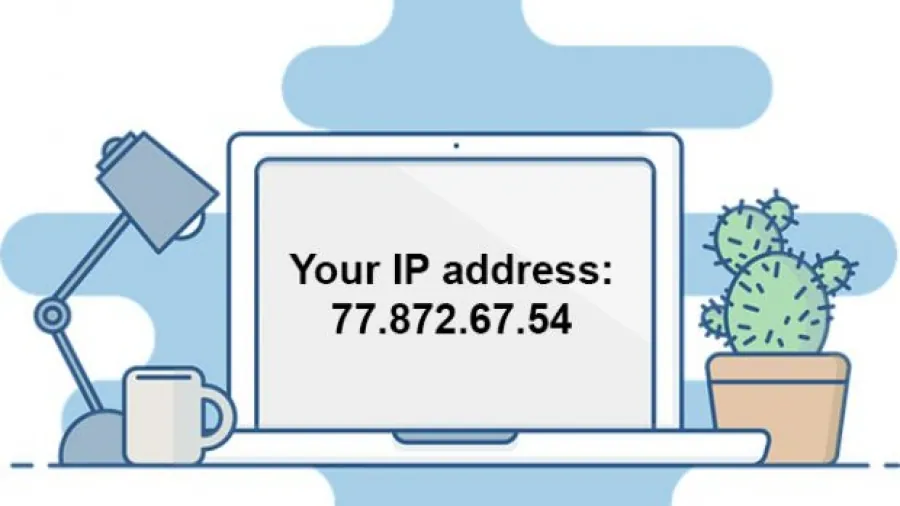
A valid IPv4 address is written as four numbers separated by dots, in the form xxx.xxx.xxx.xxx, where each number is between 0 and 255. For example, 192.168.1.20 and 204.120.0.15 are valid. 192.168.1.300 is not, because 300 is larger than 255, and 192.168.1 is not, because it has only three parts.
Behind the scenes, each of the four numbers is an 8-bit binary value (an "octet"), which is why the range stops at 255. The decimal format just makes the address easier for people to read.

Private Addresses
Some ranges are reserved for private networks by the standard RFC 1918:
- 10.0.0.0 to 10.255.255.255
- 172.16.0.0 to 172.31.255.255
- 192.168.0.0 to 192.168.255.255
These are perfectly valid inside your home or office network. That is exactly what your router hands out. They just cannot be used directly on the public internet. If your router's own internet-facing (WAN) address falls in one of these ranges, your provider is using carrier-grade NAT, which can stop you from hosting a game or web server from home.
A Short History of IP Addresses
The addresses we use most today belong to IPv4, the fourth version of the Internet Protocol. It was defined in 1981 and has been in use on the internet since 1983. The standards that govern it are maintained by the Internet Engineering Task Force (IETF), an open community of network engineers and researchers whose goal is to keep internet communication reliable and simple.
IPv4 offers about 4.3 billion addresses, which is not enough for today's internet. Its successor, IPv6, uses much longer addresses written in hexadecimal with letters and colons, such as 2001:db8::1, and is gradually replacing it.
Who Assigns IP Addresses?
Public IP addresses are managed globally by the Internet Assigned Numbers Authority (IANA), which is operated by ICANN. IANA hands out large blocks of addresses to five Regional Internet Registries, one each for Africa, Asia-Pacific, the Americas, Europe and Latin America. The registries then allocate addresses to internet providers, which assign them to customers. Since 2016, IANA has operated independently of the U.S. government, under the oversight of the global internet community.
How an IPv4 Address is Built
An IPv4 address has two parts: the network part, which identifies the network, and the host part, which identifies a single device on that network. In the original design, the size of each part was set by the address class. Classes A, B and C were for normal use, while classes D and E were reserved for multicast and experimental purposes.
Valid IP Address Ranges by Class
- Class A: first number 1 to 126. The first number identifies the network; the other three identify the device. (Addresses starting with 127 are reserved for loopback.)
- Class B: first number 128 to 191. The first two numbers identify the network.
- Class C: first number 192 to 223. The first three numbers identify the network.
For example, 178.64.12.22 is a valid Class B address: 178.64 is the network and 12.22 is the device. Modern networks use flexible subnet masks (CIDR) instead of fixed classes, but the classes are still a useful way to understand how addresses are structured.
What Makes an IP Address Invalid?
When Windows reports an invalid IP address, something is wrong with the computer's network configuration, and without a valid address the PC cannot use the network at all. These are the most common causes.
Reserved Addresses
Some addresses have special jobs and are never given to ordinary devices. 0.0.0.0 means "this network" or "no address", 255.255.255.255 is the broadcast address that reaches every device on the local network, and 127.0.0.1 is localhost, the address every computer uses to refer to itself. A device configured with one of these cannot communicate normally.
Address Conflicts
Every address on a network must be unique. If two computers are both set to 192.168.0.110, each address is valid on its own, but the duplicate creates a conflict and Windows shows an error. This usually happens when someone sets a static address that the router has already given to another device.
Addresses Outside the Network's Range
Every local network, at home, at school or in an office, uses a limited range of addresses set by the administrator or by the router's factory defaults. An office network might use 192.168.1.1 to 192.168.1.50. A PC manually configured with 101.5.40.1 is outside that range, so on that network it is invalid.
DHCP Assignment Problems
Most networks hand out addresses automatically using DHCP (Dynamic Host Configuration Protocol). When your phone connects to your home Wi-Fi, the router's DHCP service gives it an address within seconds. If the PC cannot reach the DHCP server, because the router is slow to respond or out of addresses, Windows assigns itself a fallback address beginning with 169.254. That address does not match the network's range, so the connection does not work.
To fix it, restart the router, then open Command Prompt and run ipconfig /release followed by ipconfig /renew to ask for a fresh address.
Summary
An IP address identifies your device on a network. A valid IPv4 address has four numbers from 0 to 255 separated by dots, is not one of the reserved addresses, falls within your network's range, and is not used by any other device. If any of these conditions is not met, Windows will report the address as invalid.
Sources: itstillworks.com, noip.com, smallbusiness.chron.com